Create
Choose what to make: Somssii Shorts, Somssii Image, or Somssii Series. For images, upload just one and get 10 in a few minutes.
Examples
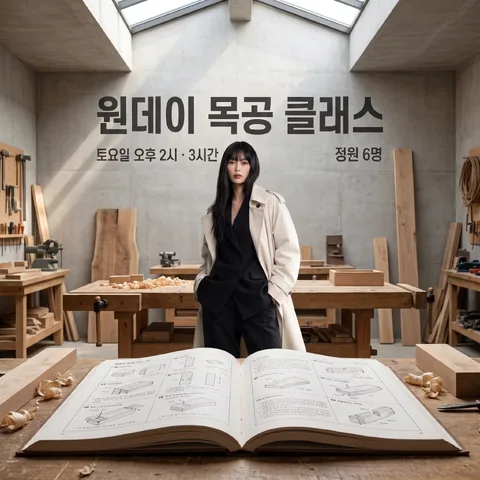
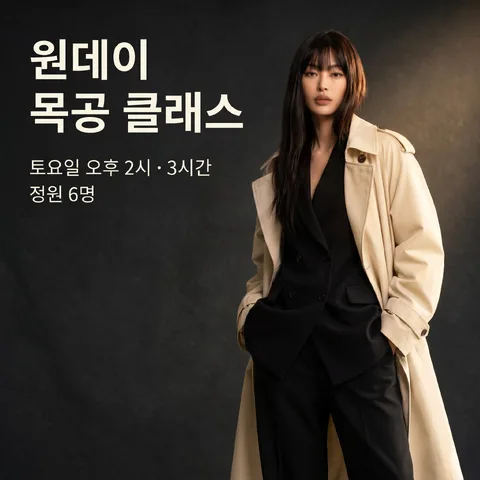

How it works
- 1
Upload one photo No photo? One sentence works too
- 2
Sign up free Get 30 free credits (3 sets) · No credit card needed
- 3
Ready in minutes Credits for images that fail are refunded automatically
Pressing Create takes you to sign-up. After you sign up and verify your email, your photo and choices (kept for 24 hours) are filled back in on this page, so one more tap submits it. Sign up for 30 free credits (enough for 3 sets), no credit card needed. Sign up or Log in
After you submit, the AI comes up with ten concepts (1–3 min) and generates 10 images at once. It usually takes 4–8 minutes; you can close the window and we'll email you when it's done. Engine queue right now: 11 jobs.
By uploading an image or entering a URL, you agree to our Terms of Service. See our Privacy Policy for how we handle personal information.
Ten images, split three ways
Composition · Palette · Style are reshuffled every time to make ten images. Subject, product, brand, and text stay the same.
Composition 30types
What goes where — placement of subject and text, and how the frame is divided.
- Instructor right · Text left
- Big course title on top
- Whiteboard background
- Desk · Hands-on
- Curriculum list
- Schedule band
- Tuition badge
- Online screen
- Student group
- Before and after learning
- Instructor's quote
- 3-step process
- Holding a certificate
- Classroom overview
- Video call grid
- Fingertip close-up
- Color-field halves class
- Subject icons
- Deadline emphasis
- Open workbook
- Online · Offline split
- Huge subject name
- Skill levels
- Supplies flat lay
- Space detail
- Multiple instructors
- Outdoor class
- Screen share focus
- Dark lecture
- Wide open textbook
Color palette 10types
Which colors to use — the color combination for background, panels, badges, and text.
- Academic navy
- Chalk green
- Bright learning
- Warm paper
- Tech violet
- Kraft beige
- Focus mono
- Sunny class
- Deep teal
- Coral study
Style 10types
Which texture and light to finish with — the character of materials, lighting, and typefaces.
- Class candid
- Clean poster
- Flat screen
- Warm studio
- Handwritten notes
- Bold type
- Documentary class
- Gradient learning
- Educational paper cutout
- High-key class
Ingredient names are just the assignment sheet; the AI studies your original and writes fresh instructions for each image. Name an ingredient in your extra instructions to lock that axis.
Need multiple connected pages instead of picking from ten?
Series mode creates ordered outputs — Product detail page · Carousel · Landing page · Event page · Catalog · Picture book · Company profile · Proposal · Short-form storyboard. You use every page you make.